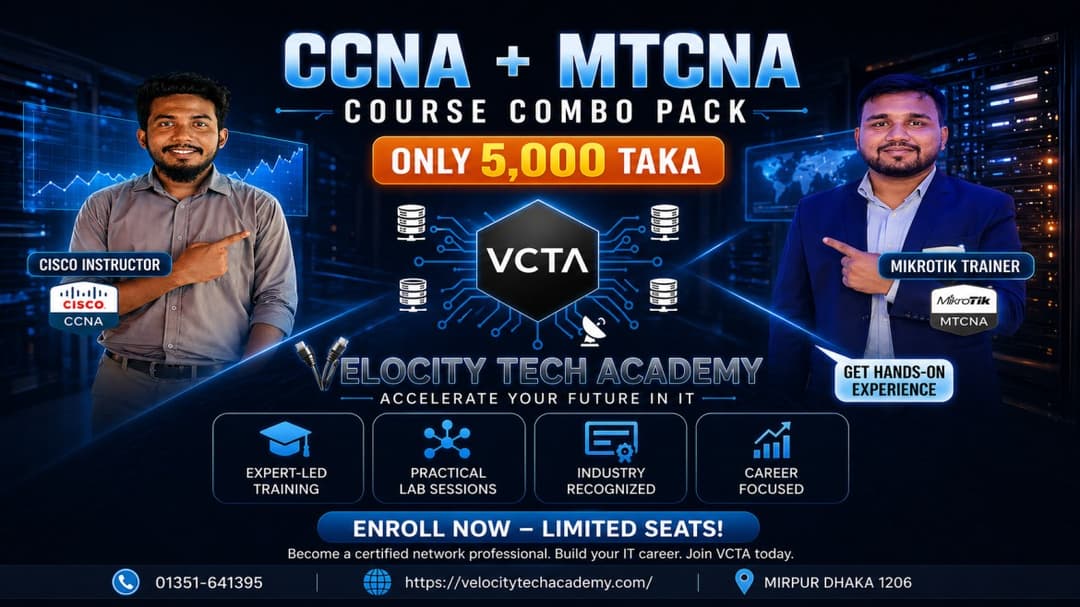
CCNA + MTCNA COURSE COMBO
CCNA (200-301) v1.1
1.0 Network Fundamentals (20%)
1.1 Explain the role and function of network components
1.1.a Routers
1.1.b Layer 2 and Layer 3 switches
1.1.c Next-generation firewalls and IPS
1.1.d Access points
1.1.e Controllers
1.1.f Endpoints
1.1.g Servers
1.1.h POE
1.2 Describe characteristics of network topology architectures
1.2.a Two-tier
1.2.b Three-tier
1.2.c Spine-leaf
1.2.d WAN
1.2.e Small office/home office (SOHO)
1.2.f On-premises and cloud
1.3 Compare physical interface and cabling types
1.3.a Single-mode fiber, multimode fiber, copper
1.3.b Connections (Ethernet shared media and point-to-point)
1.4 Identify interface and cable issues (collisions, errors, mismatch duplex, and/or speed)
1.5 Compare TCP to UDP
1.6 Configure and verify IPv4 addressing and subnetting
1.7 Describe private IPv4 addressing
1.8 Configure and verify IPv6 addressing and prefix
1.9 Describe IPv6 address types
1.9.a Unicast (global, unique local, and link local)
1.9.b Anycast
1.9.c Multicast
1.9.d Modified EUI 64
1.10 Verify IP parameters for Client OS (Windows, Mac OS, Linux)
1.11 Describe wireless principles
1.11.a Nonoverlapping Wi-Fi channels
1.11.b SSID
1.11.c RF
1.11.d Encryption
1.12 Explain virtualization fundamentals (server virtualization, containers, and VRFS)
1.13 Describe switching concepts
1.13.a MAC learning and aging
1.13.b Frame switching
1.13.c Frame flooding
1.13.d MAC address table
2.0 Network Access (20%)
2.1 Configure and verify VLANs (normal range) spanning multiple switches
2.1.a Access ports (data and voice)
2.1.b Default VLAN
2.1.c InterVLAN connectivity
2.2 Configure and verify interswitch connectivity
2.2.a Trunk ports
2.2.b 802.1Q
2.2.c Native VLAN
2.3 Configure and verify Layer 2 discovery protocols (Cisco Discovery Protocol and LLDP)
2.4 Configure and verify (Layer 2/Layer 3) EtherChannel (LACP)
2.5 Interpret basic operations of Rapid PVST+ Spanning Tree Protocol
2.5.a Root port, root bridge (primary/secondary), and other port names
2.5.b Port states and roles
2.5.c PortFast
2.5.d Root guard, loop guard, BPDU filter, and BPDU guard
2.6 Describe Cisco Wireless Architectures and AP modes
2.7 Describe physical infrastructure connections of WLAN components (AP, WLC, access/trunk ports, and LAG)
2.8 Describe network device management access (Telnet, SSH, HTTP, HTTPS, console, TACACS+/RADIUS, and cloud managed)
2.9 Interpret the wireless LAN GUI configuration for client connectivity (WLAN creation, security, QoS, advanced settings)
3.0 IP Connectivity (25%)
3.1 Interpret the components of routing table
3.1.a Routing protocol code
3.1.b Prefix
3.1.c Network mask
3.1.d Next hop
3.1.e Administrative distance
3.1.f Metric
3.1.g Gateway of last resort
3.2 Determine how a router makes a forwarding decision by default
3.2.a Longest prefix match
3.2.b Administrative distance
3.2.c Routing protocol metric
3.3 Configure and verify IPv4 and IPv6 static routing
3.3.a Default route
3.3.b Network route
3.3.c Host route
3.3.d Floating static
3.4 Configure and verify single area OSPFv2
3.4.a Neighbor adjacencies
3.4.b Point-to-point
3.4.c Broadcast (DR/BDR selection)
3.4.d Router ID
3.5 Describe the purpose, functions, and concepts of first hop redundancy protocols
4.0 IP Services (10%)
4.1 Configure and verify inside source NAT using static and pools
4.2 Configure and verify NTP operating in a client and server mode
4.3 Explain the role of DHCP and DNS within the network
4.4 Explain the function of SNMP in network operations
4.5 Describe the use of syslog features, including facilities and severity levels
4.6 Configure and verify DHCP client and relay
4.7 Explain the forwarding per-hop behavior (PHB) for QoS (classification, marking, queuing, congestion, policing, and shaping)
4.8 Configure network devices for remote access using SSH
4.9 Describe the capabilities and functions of TFTP/FTP in the network
5.0 Security Fundamentals (15%)
5.1 Define key security concepts (threats, vulnerabilities, exploits, and mitigation)
5.2 Describe security program elements (user awareness, training, and physical access control)
5.3 Configure and verify device access control using local passwords
5.4 Describe security password policy elements (management, complexity, MFA, certificates, biometrics)
5.5 Describe IPsec remote access and site-to-site VPNs
5.6 Configure and verify access control lists
5.7 Configure and verify Layer 2 security features (DHCP snooping, dynamic ARP inspection, and port security)
5.8 Compare authentication, authorization, and accounting concepts
5.9 Describe wireless security protocols (WPA, WPA2, and WPA3)
5.10 Configure and verify WLAN within the GUI using WPA2 PSK
MikroTik Certified Network Associate (MTCNA) Training Outline
Provider: Velocity Tech Academy (VCTA)
Course Overview
Outcomes: Students will become familiar with RouterOS software and RouterBOARD products. They will be able to connect clients to the Internet, configure, manage, and perform basic troubleshooting on MikroTik routers, and provide basic services.
Target Audience: Network engineers and technicians looking to deploy and support corporate networks and Client CPEs (WISPs and ISPs).
Prerequisites: Good understanding of $TCP/IP$ and subnetting.
Suggested Reading: Search for "ipv4 tutorial" and take the "example test" on the MikroTik website.
Course Modules
Module 1: Introduction
About MikroTik, RouterOS, and RouterBOARD.
Accessing the router: WinBox, MAC-WinBox, WebFig, Quick Set, and CLI.
Initial configuration: WAN DHCP-client, LAN IP, Default Gateway, and NAT masquerade.
Upgrading: Package types, ways of upgrading, and RouterBOOT firmware.
Management: Router identity, logins, services, backups vs. exports (.rsc), and Netinstall.
License levels and information sources (Wiki, Forum, MUM).
Module 2: DHCP & ARP
DHCP client and server setup.
Leases management and network configuration.
Address Resolution Protocol (ARP): Modes and the RouterOS ARP table.
Module 3: Bridging
Bridge concepts, settings, and creating bridges.
Adding ports to bridges.
Bridging wireless networks and Station bridge.
Module 4: Routing
Routing concepts and route flags.
Static routing: Creating routes and setting a default route.
Managing dynamic routes.
Module 5: Wireless
802.11a/b/g/n/ac concepts, frequencies, bands, and country regulations.
Setup: Access Point and Station configuration.
Security: WPA-PSK/WPA2-PSK, Access List, Connect List, and WPS.
Monitoring: Snooper and Registration table.
Module 9: Miscellaneous Tools
RouterOS Tools: E-mail, Netwatch, Ping, Traceroute, and Profiler.
Monitoring: Interface traffic monitor, Torch, Graphs, SNMP, and The Dude.
Support: Contacting support, generating supout.rif files, and system logs.
Administration: Item comments, names, and network diagrams
Success Stories
Not Available
Why Choose Our Course?
Live Online Classes
Our live online classes provide an interactive learning experience, allowing you to engage with instructors and fellow students in real-time. This format fosters a collaborative environment where you can ask questions, participate in discussions, and receive immediate feedback on your progress.
Project-Based Learning
Our courses are designed based on project-based learning, which allows you to apply your skills in real-world scenarios. This approach helps you develop problem-solving abilities and enhances your expertise according to industry demands.
Career Guidance and Placement Assistance
We offer comprehensive career guidance and placement assistance to help you navigate the job market successfully. Our experienced career counselors provide personalized support, including resume writing, interview preparation, and job search strategies, to ensure you are well-equipped to secure your desired position in the tech industry.
Practice Labs and Mentorship
Our practice labs provide a hands-on learning environment where you can apply theoretical knowledge to real-world projects. Additionally, our mentorship program connects you with industry experts who offer guidance, support, and insights to help you succeed in your tech career.
Lifetime Access
Once you enroll in our course, you will have lifetime access. This means you can continue your learning journey at your convenience.